Introduction
| 106 Pull Requests merged | 60 Issues resolved | 206 Commits |
Luanti 5.18 is here! A few days before Halloween, this release was a spooky one for sure! This time, we are bringing you the ability to load from multiple texture packs at once, translate to English, a Lua API to customize the world lighting, and more
You can download Luanti from our website, check out the code on GitHub, or read the full changelog.
Table of Contents
- Load from multiple texture packs at the same time
- Translating to English is now possible
- Lua API to customize the world lighting
- Formspec: New “listimages” element, new editable style
- Main Menu: Prevent users from completely disabling the Lua sandbox
- Re-added the client setting to disable digging particles
- Bug Fixes, Performance Improvements, and Other Changes
- What’s Next?
Load multiple texture packs at the same time
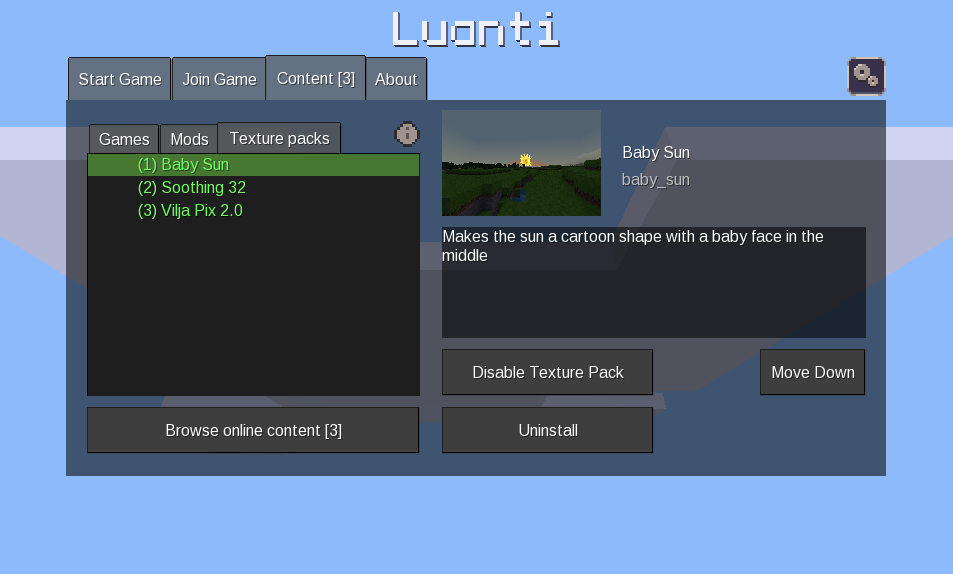
Luanti now supports loading multiple texture packs at the same time. The order of the texture packs can be rearranged in the refined ‘Content’ tab in the main menu. This changes prioritization of textures, so textures from the first pack in the list will take priority, and if a texture is not found there, it will be searched for in the next pack in the list, and so on.
Translating to English is now possible
Starting with this release, developers can now translate their games and mods from their native language to English. By default, Luanti will still assume that the game or mod is in English, but developers can now set the source language in their translation files. To learn more, check out the Lua API documentation.
Lua API to customize the world lighting
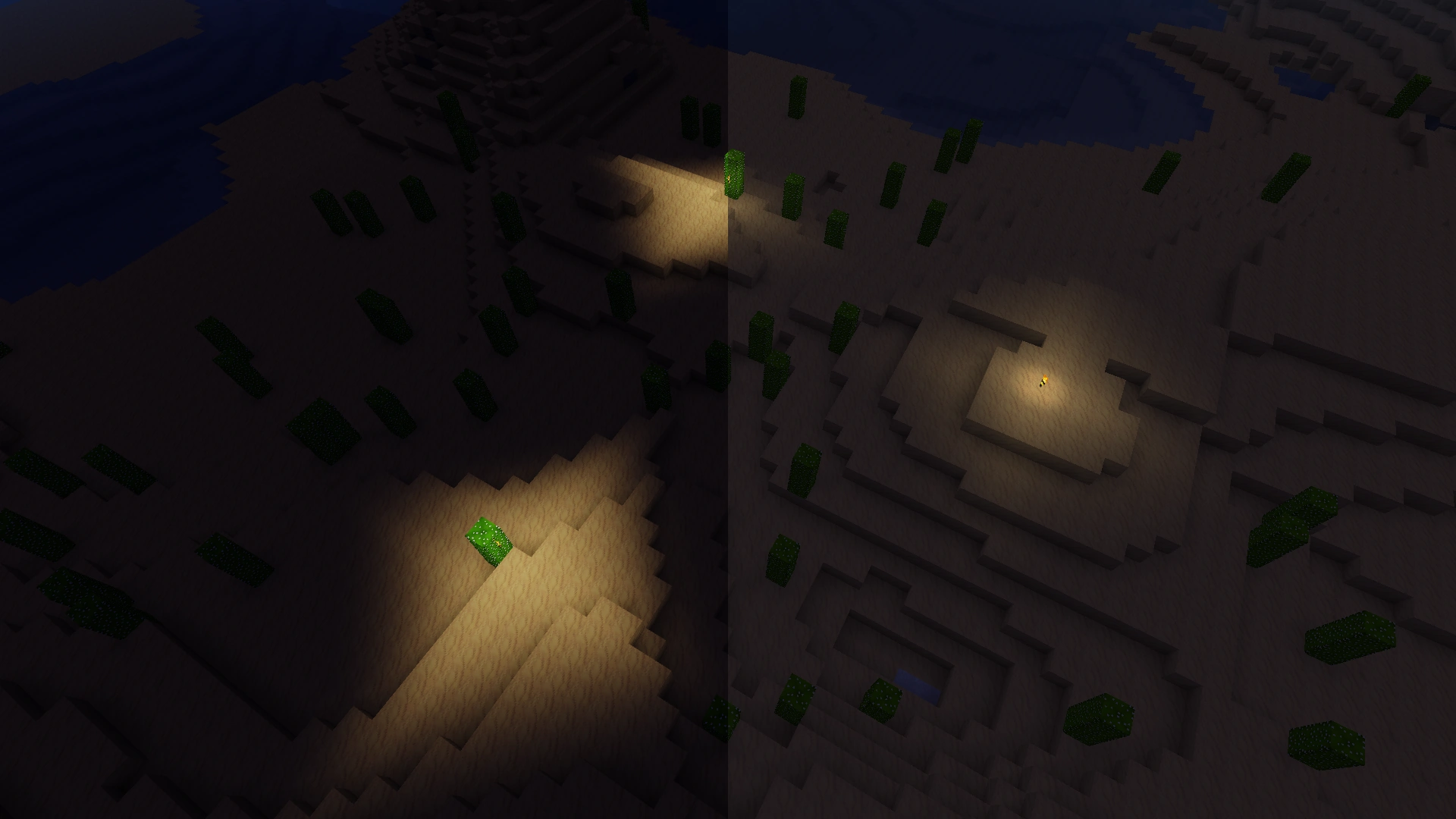
It is now possible for mods to customize the world lighting in Luanti using the Lua API. This gives developers more freedom in their games and mods and players more immersive experiences.
Formspec: New listimages element, new editable style
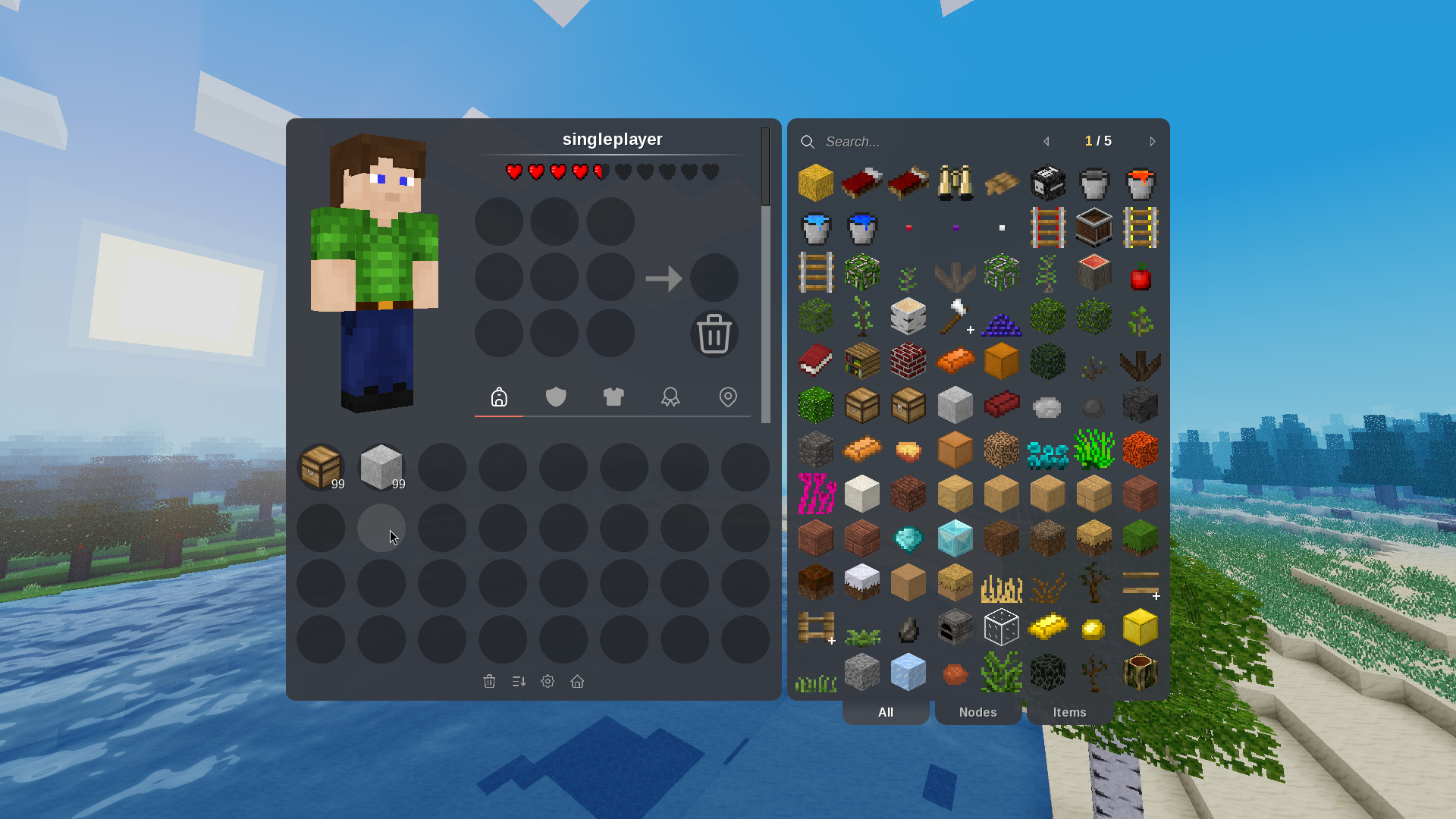
The new listimages formspec element allows developers to style inventory slots
with textures, giving them more freedom to customize the look of their
inventories and fit their styles better.
Check out the Lua API documentation
for more information.
Main Menu: Prevent users from completely disabling the Lua sandbox
The setting called “Enable mod security” to toggle the mod Lua sandbox has been
removed from the main menu, as it is a security risk to disable it. In contrast
to secure.trusted_mods, the setting gave all mods direct access to the host
system, which could be exploited by malicious mods. Developers should always use
secure.trusted_mods or secure.http_mods for privileged access. If you
absolutely must disable the Lua sandbox, there is a new --insecure-no-sandbox
CLI flag. Additionally, it is now impossible on Android to disable the Lua
sandbox and there is a warning in the main menu for the secure.trusted_mods
setting.
Re-added the client setting to disable digging particles
This setting was removed in 5.11.0 and has now been re-added to give players more control over their client and visual experience. It can be found in the “Effects” section of the settings menu.
Bug Fixes, Performance Improvements, and Other Changes
As always, this release contains many bug fixes, performance improvements, and
other changes. There is also a new dependency: libzip, which is now required
to build Luanti. This is the foundation for future work on exporting and
importing worlds. A regression regarding collision checks was fixed, which could
cause entities to fall through the ground when lag spikes occurred.
What’s Next?
Take a look at the pull request list and milestones to see what the community and developers are working on.
Everyone is welcome to contribute to Luanti! Questions? Ideas? Feel free to get involved!